
An unfinished order needs somewhere to wait and a clear way to resume. Leaving it on the working table preserves visibility, but it can also block photography, packing, or the next making task.
Use this system when several jobs share a small home workspace. It separates actively worked orders, paused work, sellable stock, and checked outgoing parcels without requiring a new app or more furniture. The result is a location map and a next-action card for each unfinished job.
If work is waiting because a custom detail is unclear, use the custom order brief to identify the missing choice, current revision, and readiness check before making. Keep its specification record linked to the short next-action card below.
Define the states before choosing containers
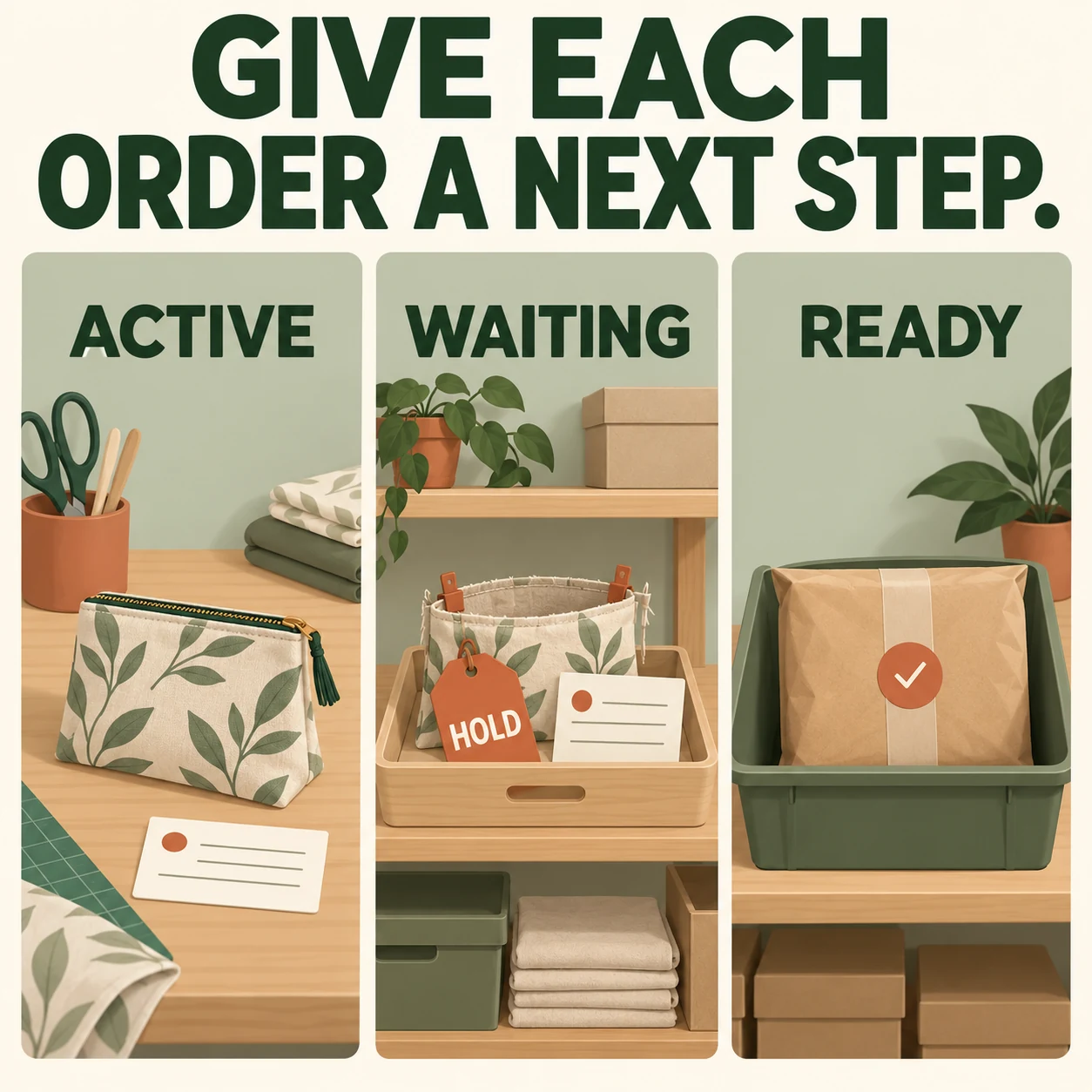
| State | Meaning | Where it waits |
|---|---|---|
| ACTIVE | The job you are working on now | Current suitable working surface |
| WAITING | A defined step remains or a specific hold prevents progress | Identified tray or shelf outside the working path |
| SELLABLE STOCK | Finished product available to fulfil an order | Product/variant stock location |
| READY TO SHIP | Parcel passed the required order, packing, and label checks | Separate outgoing location |
| HANDED OVER | Carrier handover has actually occurred | Record the event in the existing order system |
“READY” does not mean shipped. “WAITING” does not mean forgotten. Keep these meanings consistent between the physical location and the order record. The illustration shows three physical areas; the table supplies the fuller state definitions.
Use one minimal next-action card
- Reference: an order or product identifier connected to your existing record.
- State and hold reason: the specific step or information still missing.
- Location: a shelf/tray reference precise enough to retrieve the work.
- Next action: a verb and the object, such as “attach zipper” or “retake scale view.”
- Review/release check: what must be confirmed before the state changes.
A visible card usually does not need customer names, addresses, or private messages. Keep that information in the existing order system. If one tray contains a traceable batch, preserve each order or product identity within it rather than assuming that similar items are interchangeable.
Worked example: one table, three waiting jobs
| Reference / location | What is waiting | Next action and release check |
|---|---|---|
| A17 / shelf M, tray 1 | Pouch needs a zipper | Attach the correct zipper; check completion before PHOTO |
| P04 / shelf P, tray 2 | Finished product needs a scale photograph | Capture/check the missing view; confirm files belong to P04 before LIST |
| A18 / hold shelf, tray 3 | Packed parcel has unresolved item mismatch | Check against order record; correct and recheck before outgoing release |
The table can now clear for the next task without losing the jobs’ identities. A17 is not sellable stock yet. P04 is finished but not ready for listing. A18 is not ready to ship merely because it is already in a mailer.
Choose a waiting place that supports the next step
| Waiting task | Location decision | Avoid |
|---|---|---|
| Making or finishing | Suitable protected project tray near the relevant kit | Mixing loose pieces with reserve material |
| Photography or retake | Product reference plus missing-view note near the photo return area | Leaving an unmarked product beside unchecked files |
| Packing hold | Clearly separate hold location with order reference | Mixing it with checked outgoing parcels |
| Drying or material-dependent process | Location and conditions required by the material/process | Closing or stacking work just to make it fit |
Follow relevant equipment and material instructions. A lidded bin is not appropriate for every drying, curing, or finishing process. Storage convenience does not determine when the product is complete.
Set a physical capacity rule
Count the waiting places you can use without obstructing the work surface, equipment, storage access, or household circulation. Assign them identities. The useful limit is the number of clearly traceable jobs the arrangement can hold.
For example, three usable trays could provide three waiting locations. If all three are occupied, review the oldest actionable hold or finish existing work before starting another job when the schedule allows. Do not create a fourth unmarked pile as the default response.
Your actual capacity may differ by product size and batch structure. A limit is a prompt to make a decision, not a reason to ignore delivery commitments. If a job cannot progress, record the required external response or decision and review the plan.
Physical waiting space is only one limit. Before accepting another made-to-order job, use the capacity planning worksheet and worked week to check remaining active time, operation slots, elapsed waits, and carrier handoff against existing commitments.
Change state with a release check
- Retrieve the work using its reference and location.
- Confirm the current next action still matches the order/product record.
- Complete the step or record the unresolved hold.
- Check the condition needed for the next state.
- Update the record and move the physical work together.
- Free or relabel the old waiting location before assigning it to another job.
For PHOTO → LIST, use the shot-list handoff. For PACK → WEIGH → LABEL, use Shipping Labels. For the complete sequence, use the handmade business workflow.
Troubleshooting unfinished work
| Problem | Correction |
|---|---|
| Tray says “in progress” but nobody knows the next step | Replace the vague state with an actionable step or hold reason |
| Pieces from two orders are mixed | Reconcile identities against the source records before continuing |
| Finished stock is pulled into active projects | Separate stock locations from project trays |
| Ready parcels include a held order | Move the held parcel out and repeat its release checks |
| Waiting locations fill repeatedly | Review recurring holds, batch size, and the room’s true capacity |
Daily waiting-point review
- Each waiting job still has a reference, exact location, and next action.
- Holds are separated from work ready for the next operation.
- No unfinished parcel is in the checked outgoing place.
- One actionable hold or next step is selected for the next session.
- The shared surface is available after the current kit is returned.
Use the daily and weekly routines to decide when to review these records. Use the Workspace Planner to place the waiting locations and the free checklists to record task handoffs. Keep the cards short enough that updating them is part of the normal changeover.