
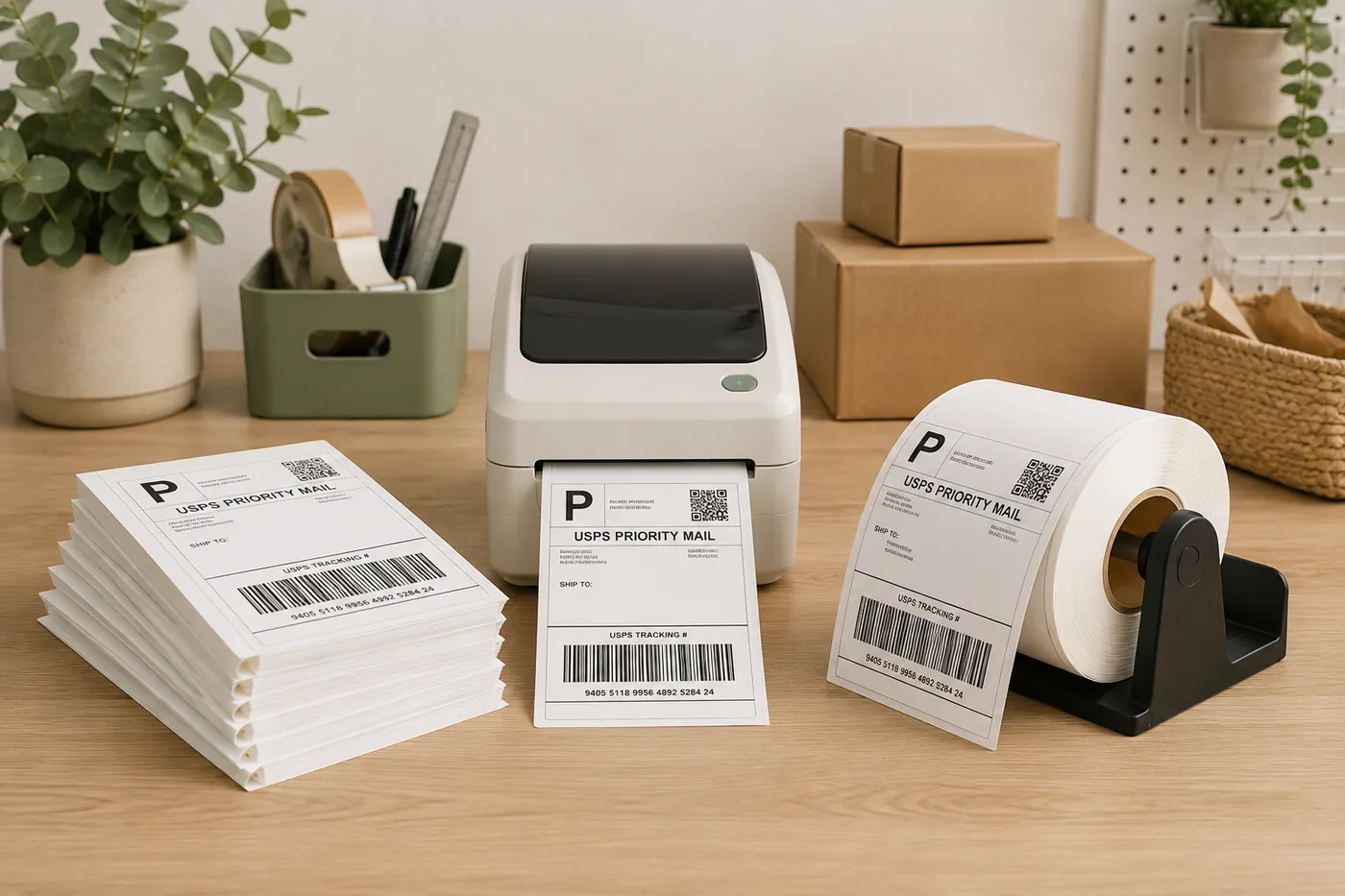
Fanfold and roll labels can both work well when the exact media suits the printer and the supply feeds correctly. The useful choice is often about the whole feed path and how you move or reset the station, rather than a universal winner.
This guide covers direct-thermal label stock and its working footprint. It does not apply to ordinary inkjet/laser label sheets or every proprietary thermal-media system.
Disclosure: This post contains affiliate links. If you purchase through them, we may earn a commission at no additional cost to you. See our Affiliate Disclosure.
Start with the exact printer and label requirements
- Printing technology: the printer and stock must match; direct-thermal stock is not ordinary inkjet or laser paper.
- Supported width, length, and sensing method, including any required gaps or marks.
- Accepted feeding method and supply position.
- For rolls: allowed diameter, core, winding orientation, and holder requirements.
- Any brand-specific media requirements for the exact model.
“4×6” describes dimensions, not universal compatibility. Brother’s QL-1110NWB documentation describes DK rolls. Do not treat a generic fanfold stack as a substitute simply because the shipping-label dimensions look similar.
DYMO owners: check the exact model before buying generic stock. DYMO’s official LabelWriter comparison states that its Series 5 printers, including the 5XL, work only with authentic DYMO LW labels. Do not treat a generic roll supplier’s compatibility list as confirmation for a 5XL. The 450-series user guide also distinguishes the narrower 450 models from the 4XL: a LabelWriter 450 is not a 4×6 shipping-label printer. If supplier and printer-maker claims conflict, follow the exact printer’s requirements and resolve the mismatch before ordering.
Compare three physical arrangements
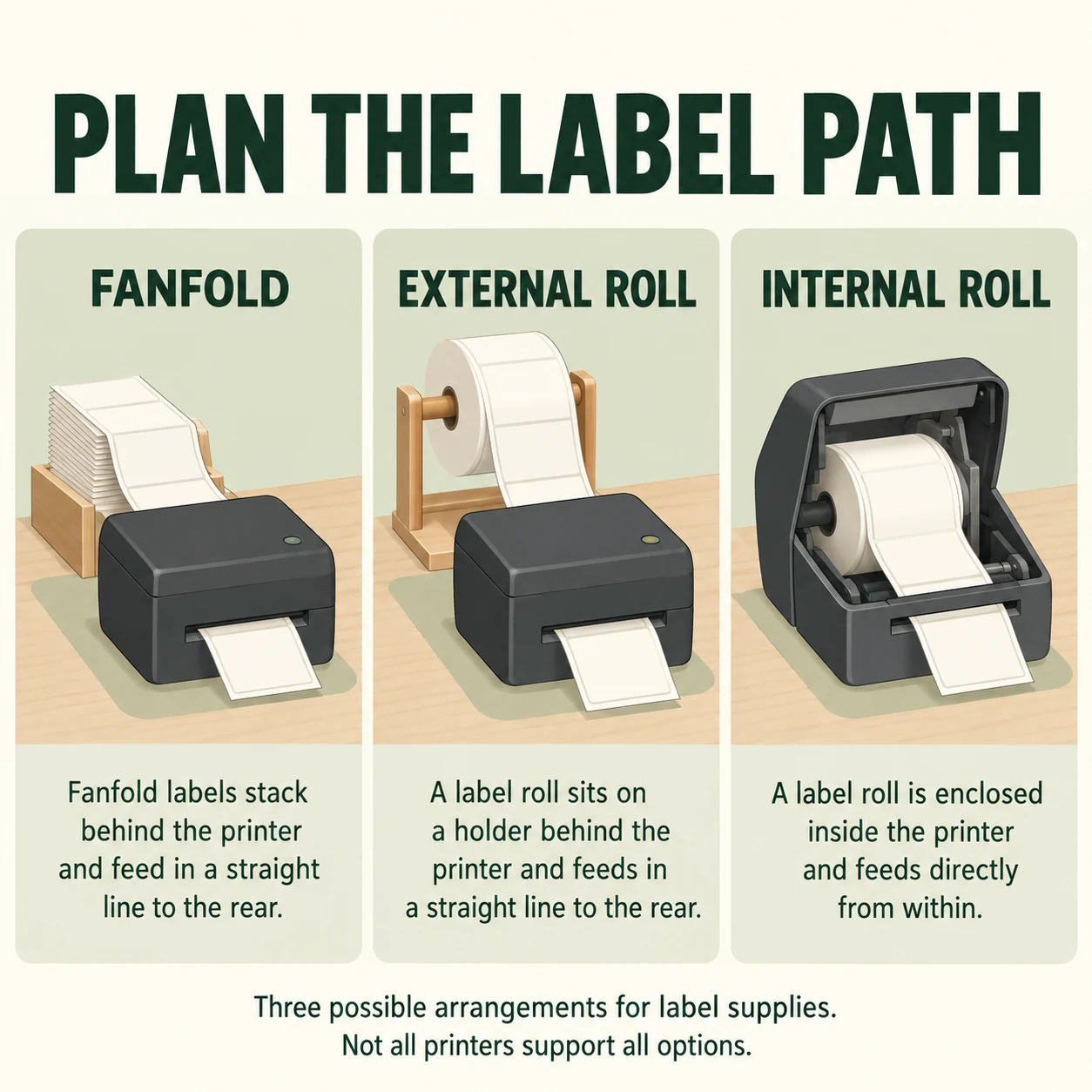
| Arrangement | Working footprint | Useful condition |
|---|---|---|
| Fanfold behind the printer | Printer plus stack and clear path | Permanent surface with enough depth for a stable stack |
| External roll and holder | Printer plus supported roll/holder and clear path | A suitable holder and a defined return place |
| Internal roll | Housing plus opening/reload space | Exact printer accepts the required roll size/media |
The diagram shows possible feeding arrangements, not a claim that one printer supports all three. Include the supply footprint when comparing desk space. An internal roll can still require extra room to open the cover and reload.
Run a small feed-and-reset trial
- Load a small compatible quantity using the exact model’s instructions and calibration process.
- Use the shipping platform’s supported sample/test method or non-postage test document.
- Print a short sequence, watching for skew, missed gaps, or repeated feeding interruptions.
- Check a representative label for the required content, clear barcode, and correct size.
- Reload or move the station as you normally would, then repeat the relevant check.
- Record the supply position and return location that worked.
For example, use ten test labels if that is suitable for your printer and process. Ten is an illustrative trial size, not proof of long-run reliability. Do not buy duplicate postage to carry out a feed test.
Match the format to the way you work
| Situation | Format to evaluate first | Confirm |
|---|---|---|
| Station stays assembled | Fanfold or supported external roll | Rear space and unobstructed supply path |
| Station is put away after use | Contained fanfold box or suitable roll arrangement | Kit can move without loose stock or changed routing |
| Large batches | Either supported format | Supply capacity, reloading, and where output will wait |
| Frequent size changes | Whichever the model handles clearly | Calibration steps and keeping each stock identifiable |
Do not choose only by whether the printer itself is compact. A stacked supply, roll holder, finished label pile, and cables can change the footprint. Keep printed labels tied to their orders rather than leaving an unidentified batch loose on the desk.
Compare cost per usable label
Start with delivered supply cost divided by usable labels. Include shipping and required supply accessories in the relevant comparison. Record any trial waste rather than assuming every label in a large pack becomes a usable shipping label.
Illustrative example: a delivered $24 pack produces 480 usable labels out of 500 after setup/waste. Its effective consumable cost is $24 ÷ 480 = $0.05 per usable label. Compare that with your actual alternative; these are example figures, not current MUNBYN prices or test results.
Also consider how long the pack will last and where reserves will fit. A lower unit cost is less useful when excess stock crowds the work surface or the media is not compatible.
Optional MUNBYN stock after compatibility is confirmed
If your printer accepts 4×6 direct-thermal fanfold labels and the stack fits your feed area, compare the current MUNBYN fanfold pack options. If a supported roll fits the setup better, compare the roll option and its dimensions before ordering.
See the MUNBYN 4×6 Fanfold Labels →
Check the MUNBYN 4×6 Roll Label Option →
These links lead to the specified label formats in MUNBYN’s US store. Check the selected quantity and your exact printer’s media requirements. We have not independently tested their feed performance or adhesive durability.
When an external holder is worth considering
Keep a working supply arrangement if labels already feed freely. An external holder is an option when a supported roll needs a stable support or a fanfold stack needs a defined position outside the printer. It will not fix the wrong label PDF, incompatible stock, or incorrect calibration.
One option to compare is the MUNBYN ILH01 Pink Small Holder. The manufacturer’s product specifications list a 7.4 × 5.62 × 5.47-inch holder, maximum label width of 4.76 inches, maximum roll outer diameter of 6 inches, and minimum roll core size of 0.74 inches. These are holder limits, not confirmation that your printer accepts the stock. Allow additional room for a straight, unobstructed feed path and check the selected variant before ordering.
Check the MUNBYN ILH01 holder dimensions and options → This optional affiliate link goes to MUNBYN’s US store. We have not independently tested this holder’s feeding performance.
Troubleshoot the path before changing formats
| Problem | First check |
|---|---|
| Label skews | Supply alignment, guides, and contact with nearby objects |
| Blank labels or skipped gaps | Correct stock/sensing method and model calibration |
| Curl makes loose output awkward | Apply promptly in the checked order workflow or compare flatter handling |
| Roll resists movement | Correct holder, winding direction, and supported roll size |
| Format works once but fails after moving | Restore the recorded supply path and setup |
Use Shipping Labels for document size and scaling problems. Use the supply-stock guide for working quantities and reserve reordering. Changing fanfold to roll does not correct a label PDF generated for the wrong format.